
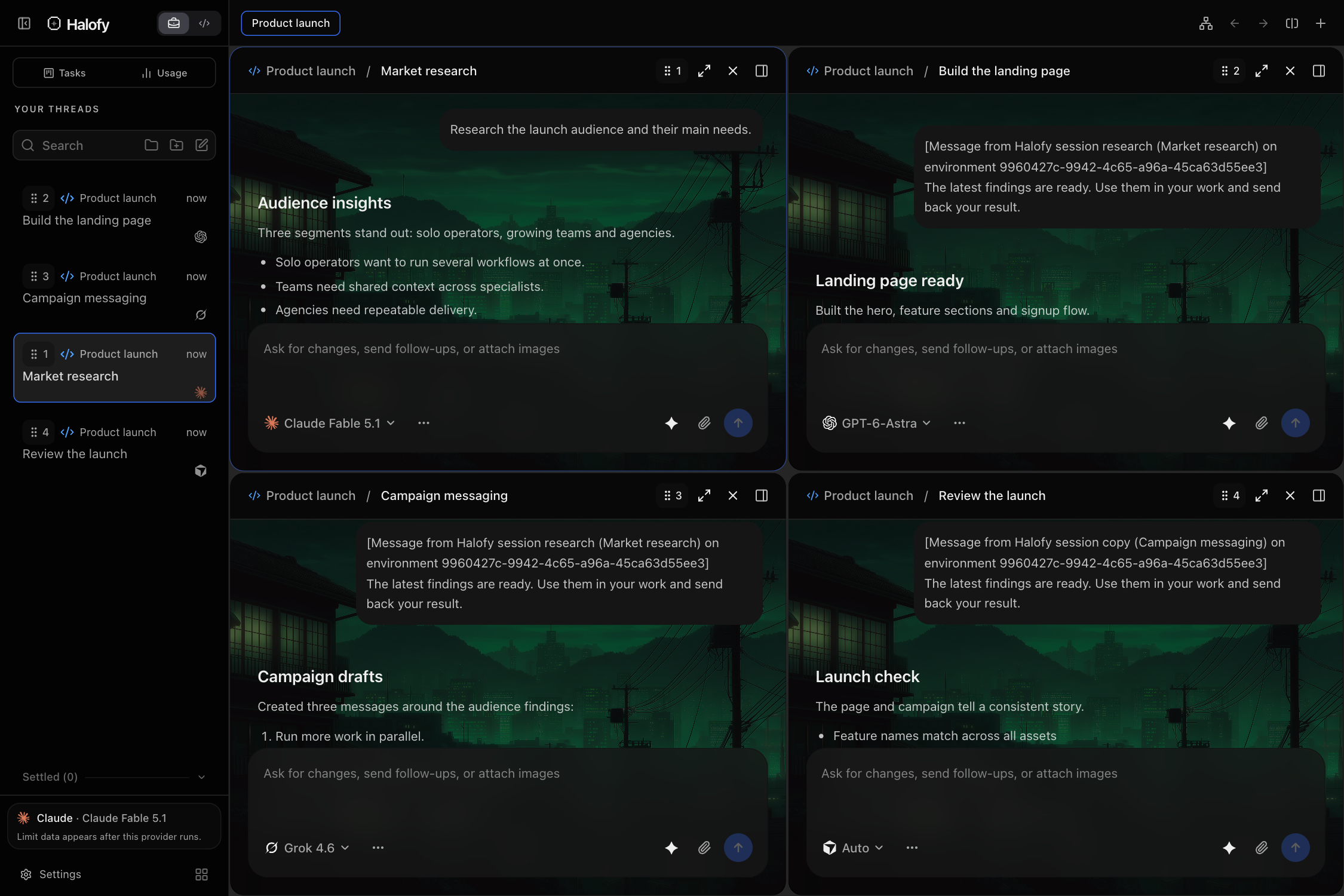
01Four agents, one workspace#
Open sessions in split view and choose a provider for each. Follow research, implementation, writing and analysis at the same time. Each session keeps its own conversation, model and controls.
02Organize parallel work into groups#
Use the split control in the group bar to add a session. Keep related work in one named group, or create another group for a different project. A group holds up to six panes.
Maximize a session when you need to focus, then return to the grid. Switching groups or closing a pane does not stop an agent that is already working.
03Let parallel work build on itself#
Independent work can happen at once instead of waiting for one conversation to finish. When one session needs another’s findings, use cross-session context to connect the work without copying messages between tools.