
01One coordinator, several specialists#
A Fusion model is a saved agent team. Its coordinator receives your task, delegates suitable parts to specialists, and brings their results back into the same conversation. Each member has its own provider, model and role.
Use parallel sessions when you want to direct separate conversations yourself. Use Fusion when you want a coordinator to organize the contributions inside one conversation.
02Define the team once, use it again#
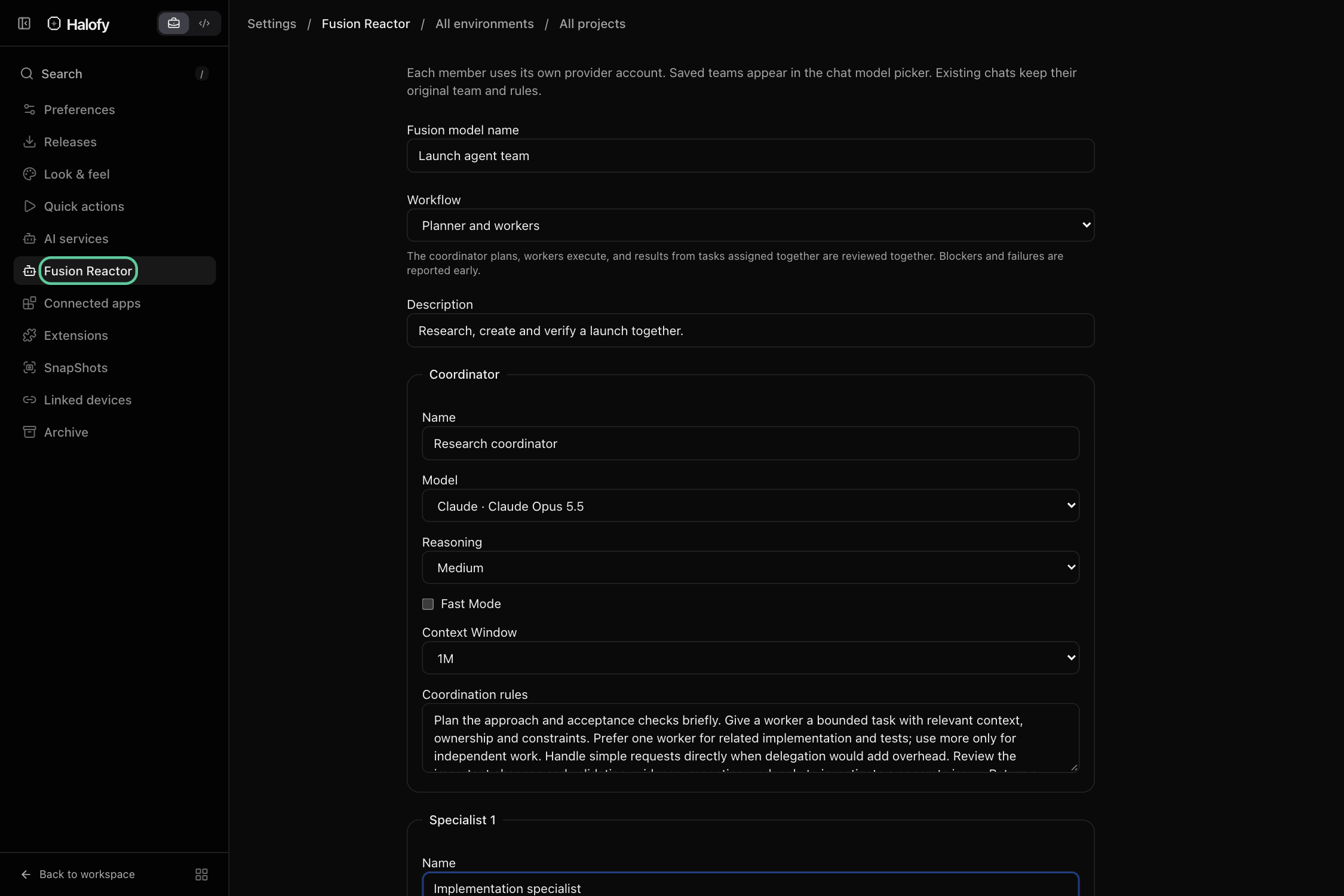
Open Settings → Fusion Reactor, or use Edit workspace and ask your agent to create an agent team. Choose the coordinator, specialist models, their responsibilities and the coordination rules.
For example, pair a research coordinator with a source-checking specialist and an implementation specialist. Save the agent team, then select it under the Halofy logo in the model picker.
03Choose how the agent team works#
Planner and workers collects successful results from tasks assigned together so the coordinator can consider them as a group; blockers can arrive earlier. Custom coordination lets your rules control the approach and delivers results as they become available.
Each member uses its own connected provider account and allowance. Saving an agent team does not start it or train a new underlying model.
A repeatable combination of specialists lets you bring the same working approach to the next task without assembling separate conversations each time.