
01See the work, not just the chats#
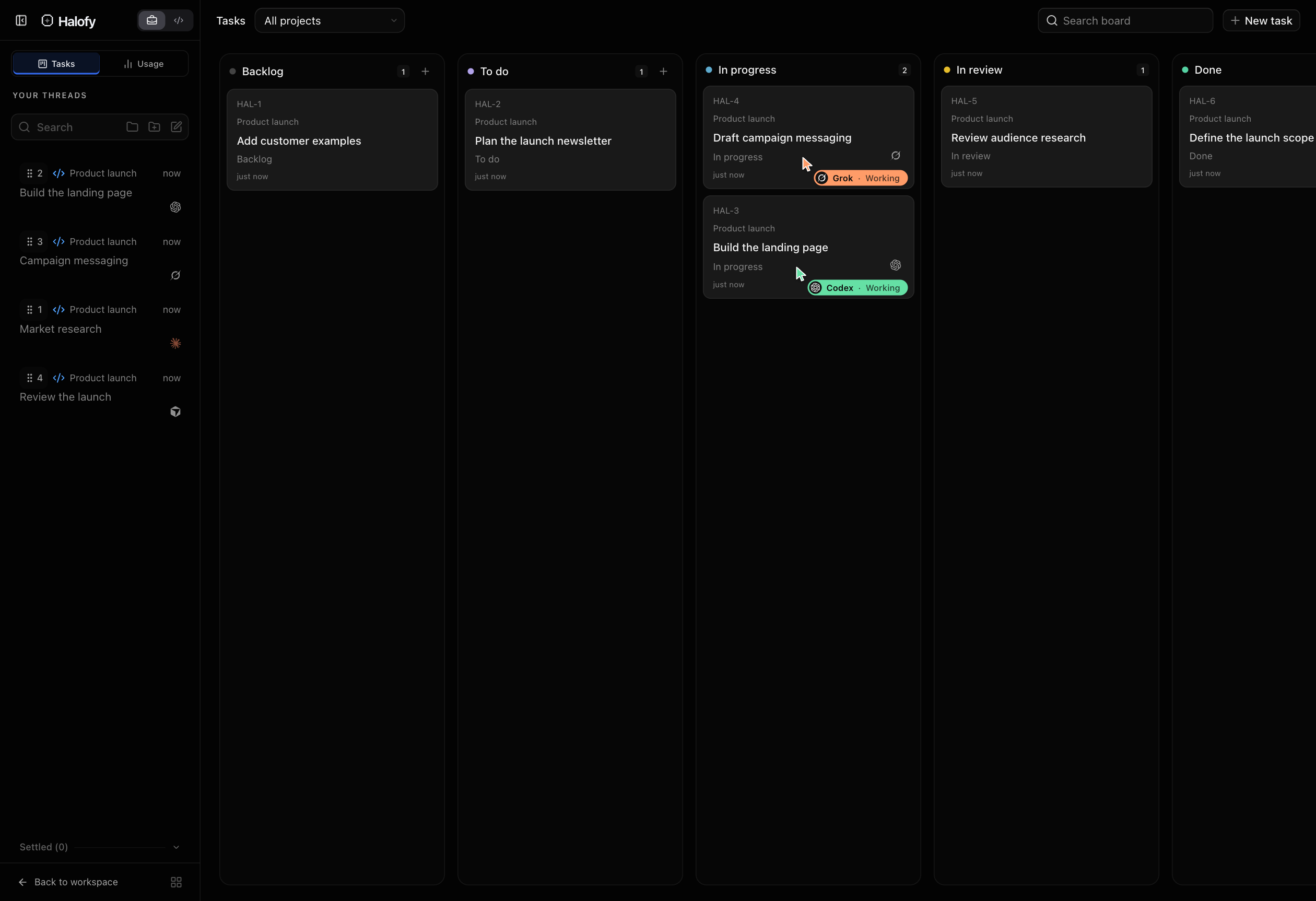
Open Tasks in the sidebar for the Kanban board. Tickets move through Backlog, To do, In progress, In review and Done. Filter by project or follow work across all your connected projects.
Each ticket holds a piece of work, its description, attachments, assigned agent execution and result. This keeps the deliverable connected to the conversation doing the work.
02Put multiple agents on the backlog#
Start a ticket with a selected agent, or ask an agent to create tickets and delegate them to workers. For example: “Break this launch into tasks and assign separate agents to research, the landing page and campaign copy.”
An agent swarm is several workers executing those scoped tickets in parallel. Agents can claim or delegate tasks, update their work and report results through Halofy’s task tools. The board shows the executing agents and current stage, so you can see what is moving and where attention is needed.
03Bring finished work back to the board#
An agent submits its result, references, validation and unresolved points before a ticket moves into In review. Open the linked conversation for detail, request changes, or approve the ticket as Done. Agents cannot approve Done themselves.
This turns a collection of chats into a visible delivery queue. Give the agents a defined set of tasks to work through; the board does not silently start every new backlog item.