
Two connected apps, one goal#
Halofy brings your AI agents into one place and helps you turn successful work into repeatable practices. Its two apps support both individual work and shared team workflows.
The AI Workstation is where you run agents, coordinate sessions and build a workspace around your tasks. The Console helps you learn from captured sessions and reuse effective practices through skills, context and guidance. Connect the apps to apply those practices to your daily work, or use either app on its own.
The AI Workstation#
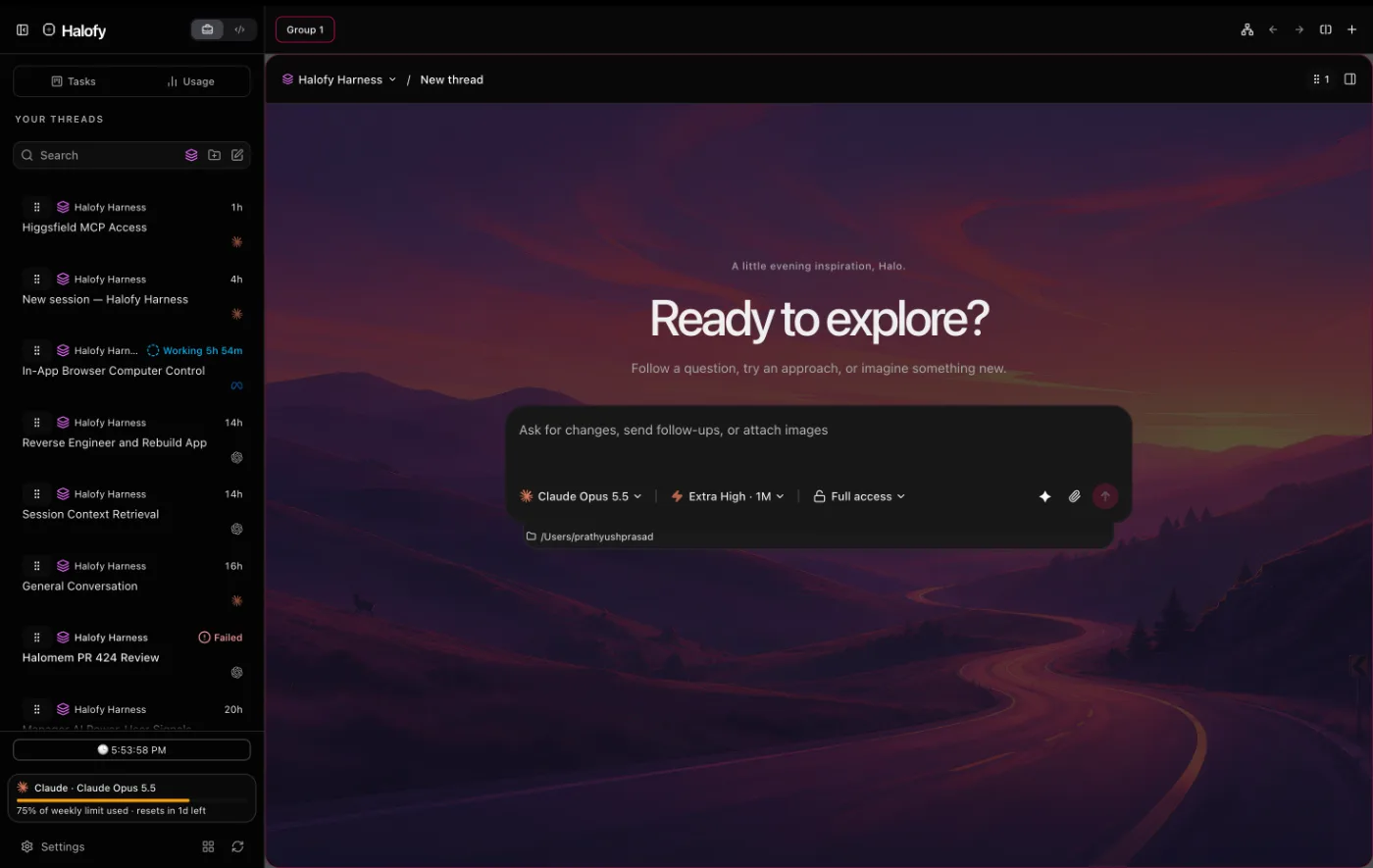
The AI Workstation is a desktop app for macOS, Windows and Linux. Inside the app it's simply called Halofy. You connect the AI services you already have, such as Claude, Codex, Cursor, Antigravity, Grok, OpenCode, OpenRouter, Kimi Code, Muse, DeepSeek or Hermes, and work with your agents in one window. Some of these providers are marked Early Access or Beta in the app.
Halofy runs each provider's own agent with your own account, and most of them run right on your computer. You give the agent a task, watch what it reads and runs, approve actions when it asks, and review the result. What you can do includes:
- Work across sessions with different AI providers and share session context, so agents can build on each other’s work.
- Run several conversations at once in split view, and follow them all on the Kanban board.
- Work across your devices with remote access: reach your running Workstation and its sessions from a browser or another computer.
- Attach files, images and screenshots to a message, and get files back as artifacts.
- Decide how much an agent may do without asking with permission modes.
- Choose the simpler Work view, or the Code view with terminal, Git and diff tools, in Settings → Preferences → Interface view. See Work and Code views.
- Combine models from several providers into one agent team with Fusion Reactor.
- See token use and estimated cost across providers in Usage.
The Console#
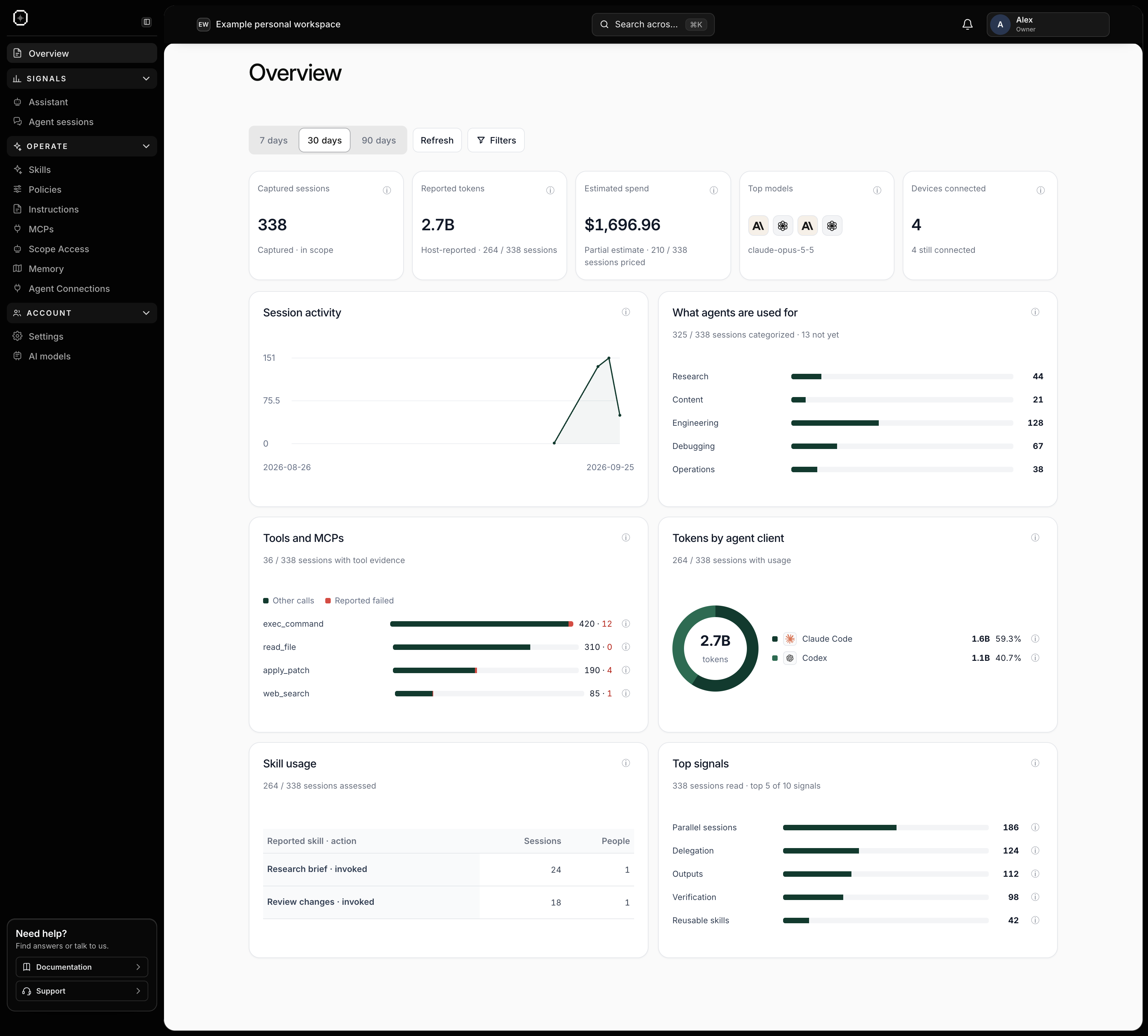
The Console helps you understand how your agents are working and carry useful lessons into future sessions. It brings together insights from captured work, reusable knowledge and controls for individuals and teams.
- Learn from captured sessions. Signals and sessions surface patterns in delegation, context and verification, so you can identify practices worth repeating.
- Reuse effective ways of working. Save skills and instructions that give agents a consistent approach to recurring tasks.
- Build on shared knowledge. Keep useful context in Memory and ask the Assistant questions about your workspace.
- Set boundaries for your agents. Manage policies and MCP permissions to define the guidance, tools and context available to connected agents.
- Bring people and agents together. Use agent connections and teams to share relevant practices and context across your organization.
Who uses Halofy#
Halofy is for anyone who works with AI agents. Use it independently to build repeatable ways to research, create and solve problems, or with a team to share useful context and practices. The Work view gives people a simpler interface; Code adds terminal, Git and diff tools.
When you create a Console workspace, you choose how you'll use it:
- For myself creates a personal workspace. You set up your own skills, policies, instructions and allowed MCPs, and review your own agent sessions.
- With my organization or team creates an organization workspace. The owner and admins set things up per team, invite people, and review their teams' sessions.
What you need#
The Workstation doesn't come with its own AI models. It drives the agents of the providers you sign in to, so your provider's usage limits and billing still apply.
- A computer running macOS (Apple silicon or Intel), Windows (x64) or Linux (x64).
- An account with at least one AI provider, for example Claude, or ChatGPT for Codex.
- A Halofy account, if you want to link your devices or connect to the Console. Using the Workstation on its own doesn't require one.
- For the Console, an account at app.halofy.ai. Use the same verified email address as your Halofy account.