
01Carry knowledge into future work#
Connected agents can search and, with suitable access, save memory. Supported captured sessions can also contribute useful knowledge. Memory keeps relevant context available when you return to a topic or start a new task.
02Ask about what you know#
The Assistant answers from workspace memory you can access and lists the sources it used. Use it to recover a decision, understand a topic or prepare for the next piece of work. Supported routines can repeat a useful request on a schedule.
Inspect the context behind an answer#
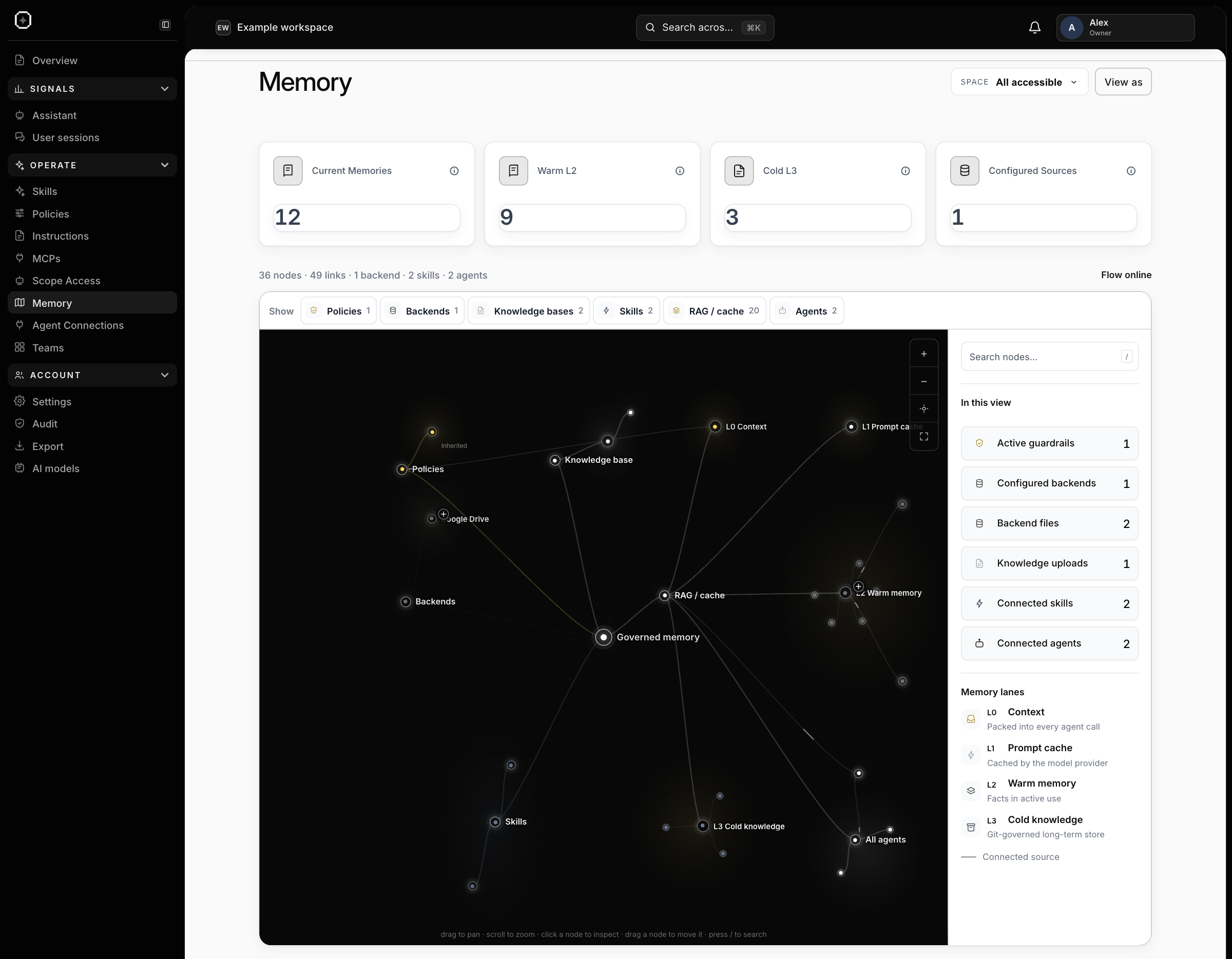
Open Memory to see how your accessible context connects. The graph brings together connected sources, knowledge, policies, skills and agents. Filter the view by type, zoom in and select a node to inspect its details.
Use it to understand where useful context comes from and how it relates to the rest of the workspace. The graph reflects the scope you are authorized to see; it helps you explore existing knowledge rather than edit records directly.
04Keep access appropriate#
Memory follows workspace and team scope. A connected agent’s badge controls whether it can read or also write. See Scoped access.
05See what future sessions can recall#
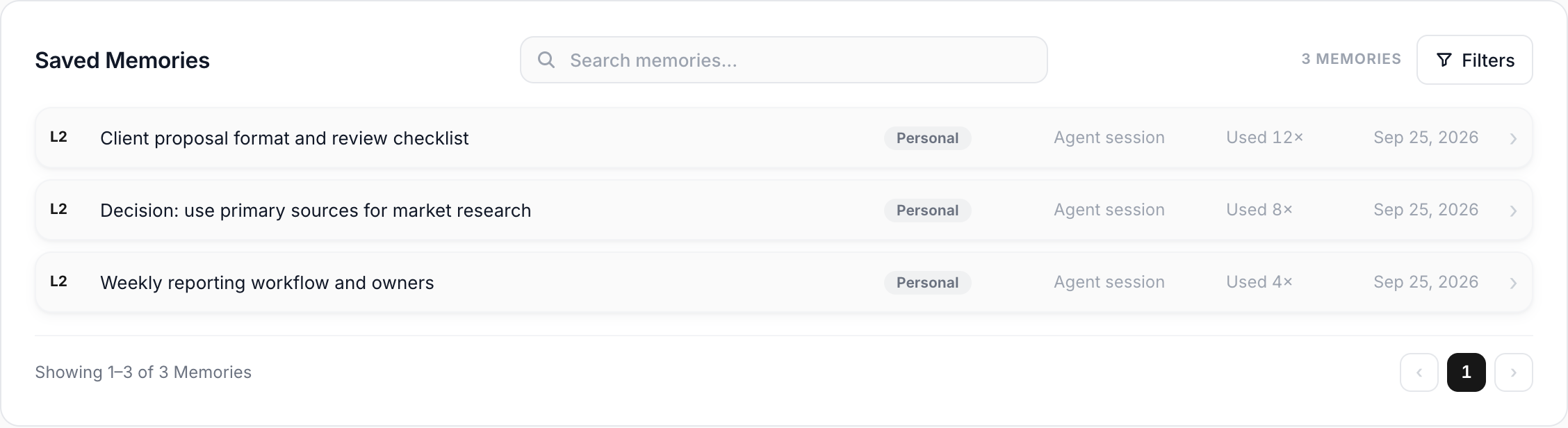
Saved Memories shows individual pieces of context with their source, scope, creation date and recall count. Search for a decision or workflow, then open the underlying item to understand what was retained. Captured conversation summaries are identified separately from saved knowledge.
The memory graph and hierarchy help you inspect relationships between authorized knowledge, policies, skills and connected sources. They make existing context easier to explore; the Memory page is not a direct editor for those records.
06Ask, verify and return to the answer#
Ask the Assistant a question such as “What did we decide about the reporting format?” Its source details show the memory used and the steps behind the answer. Saved chats are private to your account, so you can resume your own research later.
The Assistant reads by default. With a supported model and suitable access, explicitly enabling Memory writes for a message lets you ask it to save something; the toggle resets after the reply. Check the reported result before assuming the information was saved.
Eligible owners and admins can schedule a prompt as a daily or weekly routine. Each run keeps its result, uses the chosen model and time zone, and does not write to memory. Use this for a recurring briefing rather than expecting the surrounding chat to rerun.