Manage your account#
Open Settings to manage your profile, sign-in and available workspace preferences. Organization settings depend on your role, so each person sees the controls they are authorized to use.
Review the audit trail#
In an organization workspace, Audit lets authorized people inspect recorded administrative, memory and access-related events. Filter the trail to find a change, identify who made it and see when it happened.
Use the audit trail to understand changes to shared access and context. It records events within your authorized scope; session conversations remain in Agent sessions. Personal workspace owners can also use Audit for their own authorized records.
Export chat summaries to a spreadsheet#
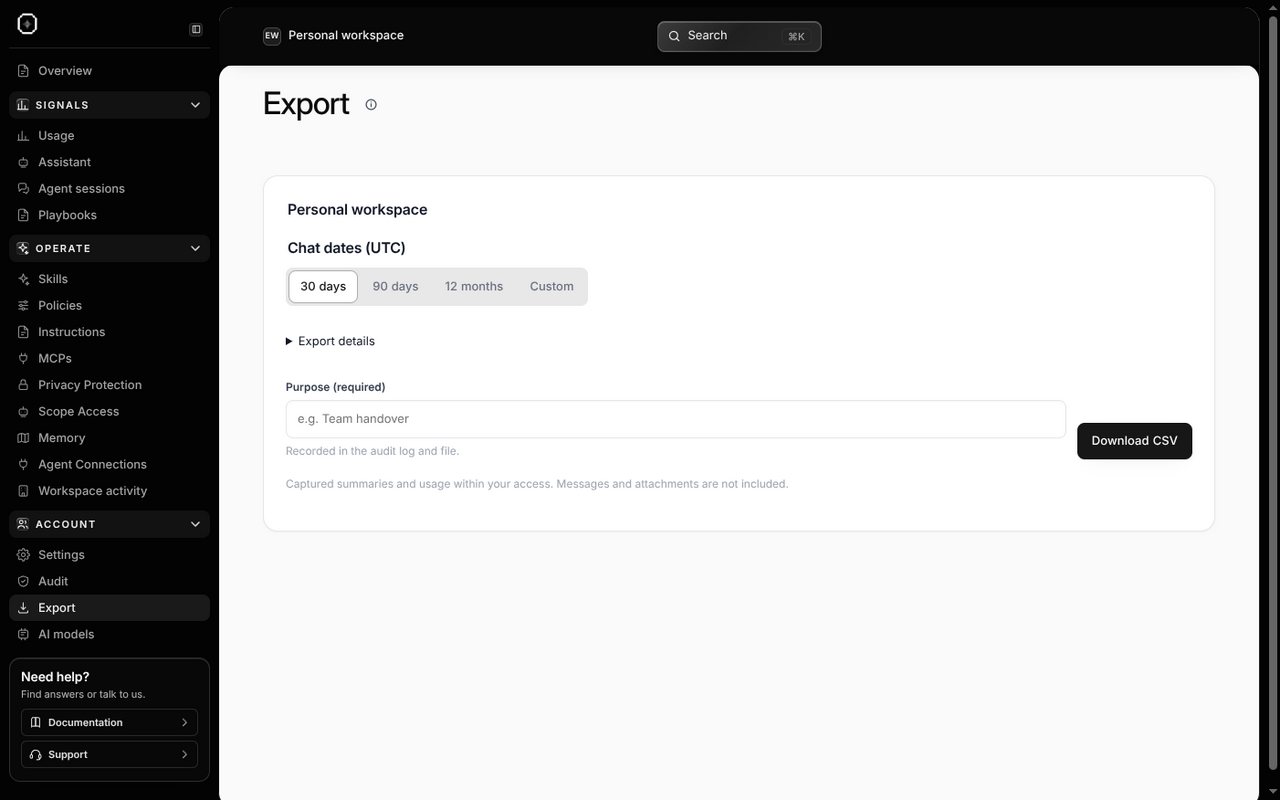
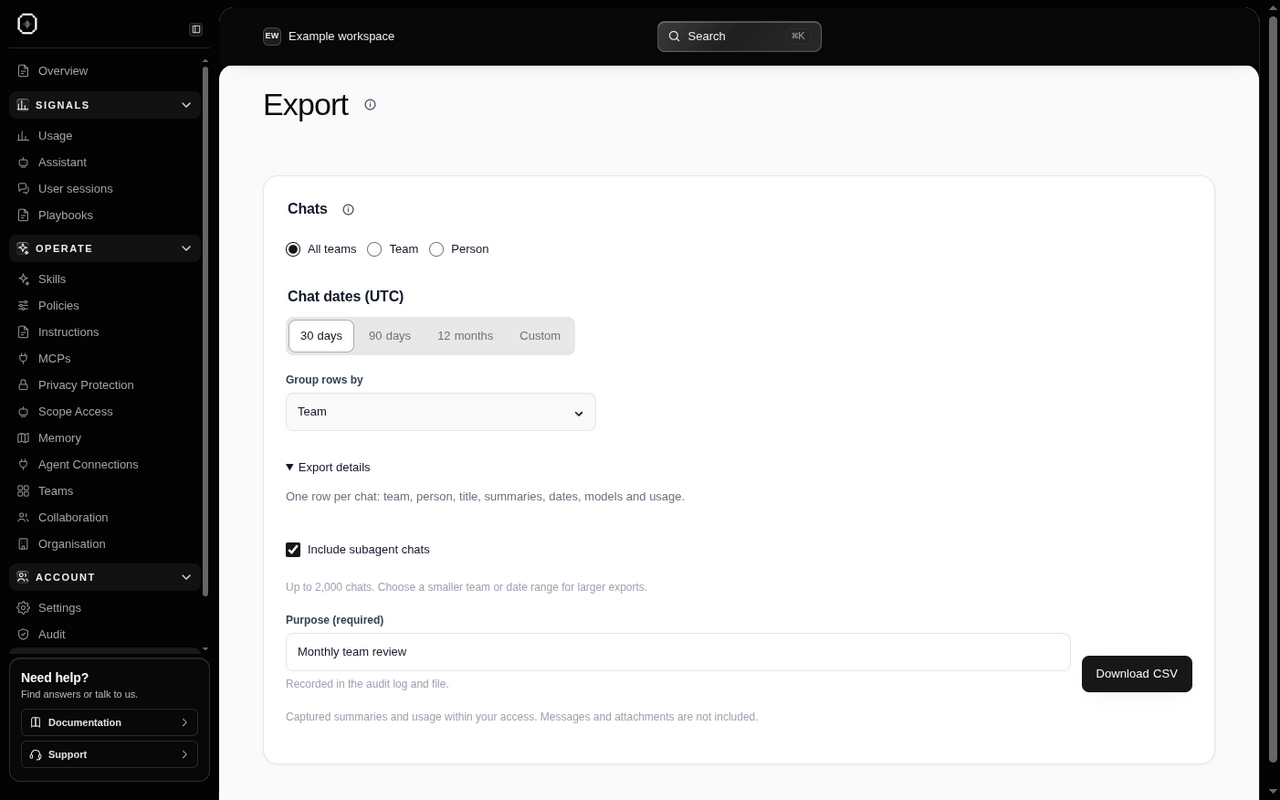
Owners and admins can open Export to download captured chat summaries and usage. Personal workspace owners can export their own workspace too. A CSV file opens in spreadsheet apps such as Excel or Google Sheets.
- Choose All teams, Team or Person where these options are available. A team includes its sub-teams within your access. Personal workspaces use their own workspace automatically.
- Choose the chat dates. Custom From and Through dates use UTC, and Through includes that whole calendar day.
- For an organization, choose Group rows by → Team or Person. The file still has one row per chat; grouping changes the order.
- Open Export details if you want to change whether helper-agent chats are included.
- Enter a Purpose, such as “Monthly team handover”, then choose Download CSV. The purpose is recorded in the file and audit log.
Each export can cover up to 2,000 chats and 366 days. If it is too large, narrow the date range or team. Read any notice about pending summaries, unavailable summaries or chats omitted because access or retention changed.
The file contains summaries, dates, people, teams, models and available usage. It does not include raw messages or attachments, and it is not a backup of every conversation in every AI app. Missing usage remains Not reported. After generation, Other formats offers JSON and Markdown, and Download again saves another CSV copy.
Audit and export in a personal workspace#
The Console also shows Audit and Export to personal workspace owners. They apply to that workspace’s authorized activity; they do not add organization team management or access to someone else’s records.