

















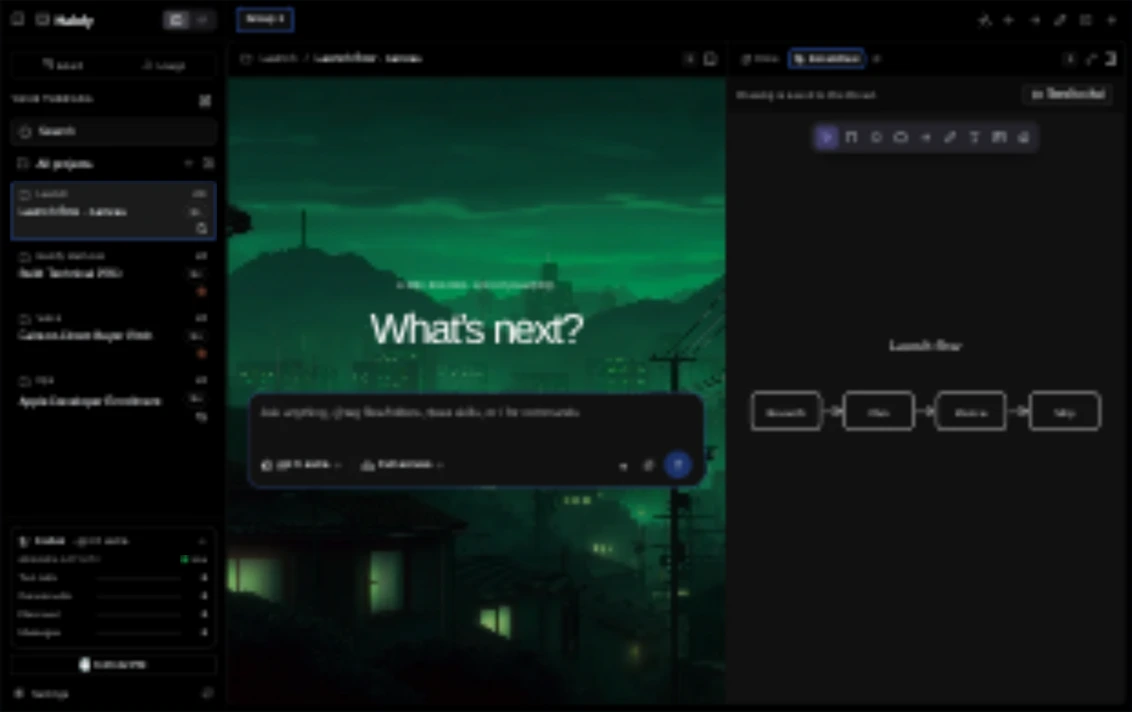
Multi-agentEvery agent.
Every agent.
One workspace.
Bring in the agents your team already uses. Each person keeps the one they prefer, without splitting the team across tools.
Claude Code, Codex, Cursor and 9 more
Learn from your AI power-users. Turn their workflows, agent setups and know-how into reusable, enforceable playbooks across your organisation.
Create your organisation, build your teams and invite your people. Assign roles and organise projects around how your business works.
Give each team access to the tools and knowledge they need. Add the skills, policies, MCPs and instructions employees and their agents must follow, and set budgets for each agent.
Your team’s access, skills and rules come built in, whether people work in the Halofy AI Workstation or with the AI agents they already use. Everyone starts with the right context and guardrails in place.
Discover what your strongest AI users do differently across employees and agent sessions. Turn patterns in delegation, context and verification into standardised practices for managers to review and approve.
Apply approved practices across teams and projects, reusable as playbooks. Enforce them through shared policies and agent instructions, so every employee and their agent follow the same standard. Track adoption as they work.
Spot what your top AI users do differently, see where everyone else stands, and ship it as a playbook every agent follows.
 Maya Chen · Claude CodeFix the failing login test · 42 minClassifying against 50+ signals
Your everyday tools, connected to the agents you work with.
Eight features, from multi-agent work to shared playbooks.
Bring in the agents your team already uses. Each person keeps the one they prefer, without splitting the team across tools.
Halofy bridges them into one place.
 CodexClaude
 Cursor
 Grok
Grok Grok Bot
 OpenCode
 Kimi Code
 Muse
Muse DeepSeek
 Hermes
 OpenClaw
 Antigravity
Keep the AI tools your teams prefer. Bring governance, power-user signals and customisation under your organisation’s control.
Set budgets for everyone on your team and each of their agents, including the AI subscriptions you already pay for. Get alerted as usage nears a limit, long before the bill arrives.
Customise tools, skills, MCPs and workflows around your organisation. Roll out approved configurations across teams and projects, with rules enforced as playbooks in the AI Workstation and the AI apps your people already use.
Agents run on each employee's computer. Conversations reach the Console only when someone turns on team activity sharing, and captured sessions are stored encrypted under your organisation's retention settings.
Without Halofy, AI know-how stays with a few. With Halofy, power-user practices become shared standards across the entire team.
Your teams have AI tools. How effectively they use them depends on each person.
A shared workstation and real session signals help every employee get more work done with AI.
Built for businesses that can't compromise. Halofy protects sensitive data at every hop, isolates every business, and retains none of it.
Per-seat pricing that starts free and scales from one workstation to organisation-wide standards.
Free
Forever · open-source (soon)
$0forever
Base
Your AI workstation, power-user signals and AI coach.
$16/monthFree
Team
Min 5 seats
$120/monthFree
Connect the apps your teams work in through MCP. Give agents access to the right documents, projects and tools, with your organisation’s permissions and policies in place.
Talk to us Notion
 Linear
 GitHub
 Google Drive
 Slack
Slack HubSpot
 Jira
Jira Salesforce
 Stripe
 Snowflake
No. Halofy is built for teams using AI across engineering, sales, operations, research and more. Employees can shape their workstation around their work, while the organisation manages access and shared standards. You don’t need to be a developer to get started.
No. If you choose not to deploy the workstation, your teams can keep using their supported agent apps—with governance, power-user signals and enforceable standards still in place. The workstation adds a shared place to run agents, connect context and customise how your teams work.
They are patterns in real agent sessions that show how people work with AI: delegating tasks, providing context, verifying results and reusing workflows. Halofy combines signals across similar types of work to identify practices your team can adopt. High usage alone does not make someone a power-user.
Halofy turns patterns from agent sessions into proposed skills, instructions and playbooks for managers to review and approve. Publish approved practices to the relevant teams or projects, enforce them through shared policies and agent instructions, and track adoption in subsequent sessions.
Shape workstation layouts, add custom tools and plugins, and configure skills, MCPs, policies and instructions around your workflows. Roll out approved configurations to teams and projects so employees have the tools they need and their agents follow your organisation’s rules.
Yes. Bring supported agents into the workstation, run sessions side by side and let them exchange context and coordinate work. Connect your other computers to work across devices, and follow agent exchanges in the agent map.
Yes, through supported provider connections. Your teams can bring their existing subscriptions into the workstation. Halofy plans don’t include AI model usage: each provider account keeps its own billing, and available models, features and usage limits depend on each provider and plan. Spend shown in Halofy is an estimate, not your provider’s invoice.
Agents run on each employee’s computer, where threads, files and provider sign-ins stay, and signing in to Halofy doesn’t upload conversations. When someone turns on team activity sharing, their new conversations and tool activity, without attachments, are stored encrypted in the Console and readable by them, your organisation’s owner and the team’s admins. Captured conversations are kept for 365 days unless the owner chooses 30, 90, 180 or 730 days, or indefinitely. Connections to other devices through a Halofy account are encrypted in transit, not end to end. Connected AI providers process prompts under their own data policies.